Yamaha HS Studio Monitors: Which Model Should You
Buy?
If you produce EDM in a bedroom studio, you've probably hit the same wall every producer hits: your mixes sound great on your headphones and fall apart in the car. That's usually a monitor problem, not a mix problem, and it's why so many producers land on yamaha hs studio monitors when they finally upgrade. The HS line has become a default recommendation in EDM production circles for a reason: flat response, honest low end, and prices that don't require a label deal to afford.
The real question isn't whether Yamaha HS monitors are good. It's which model fits your room and your workflow. The HS5, HS7, and HS8 share the same design philosophy but differ enough in size, power, and bass extension that picking the wrong one can leave you fighting boomy low end or missing detail entirely, especially with bass-heavy genres like house, dubstep, and techno.
This article breaks down the specs and pricing across the HS series, compares how each model handles the sub-heavy material typical of EDM, and gives you a straight answer on which one matches your room size, budget, and production style before you spend the money.
Why accurate monitoring matters for your mixes
Consumer speakers and headphones are built to flatter music, not reveal it. Most gaming headsets and Bluetooth speakers boost the bass and sizzle the highs because that's what sells units in a store demo. Mixing on that kind of gear means you're chasing a moving target: boost the low end to compensate for the hype, and your track turns into mud on a proper sound system. This is the exact trap that pushes so many bedroom producers toward yamaha hs studio monitors once they notice their tracks sound different everywhere they play them.
What flat response actually means
A "flat" monitor reproduces frequencies at roughly the same volume across the spectrum, without artificially boosting bass or treble to sound impressive. That neutrality is exactly what you want when you're making decisions about kick weight, sub placement, or how harsh a lead synth sounds at 3kHz. Yamaha built the NS-10, the monitor that shaped studio mixing standards for decades, on this same flat-response philosophy, and the HS series carries that DNA forward at a fraction of the price. Nielsen-Bergman and countless mix engineers still reference that lineage when explaining why Yamaha's approach earned trust in professional studios.
If your monitors lie to you, every mixing decision you make is built on bad information.
The real cost of mixing blind
When your monitoring is inaccurate, you don't just get a slightly-off mix. You get specific, predictable problems that show up the moment your track leaves your room:
-
Muddy low end that sounded fine at home but turns into a wall of bass on a club system
-
Harsh highs that clip or distort on other people's speakers because you couldn't hear the harshness yourself
-
Missing stereo detail in synths and vocal layers, since cheap drivers smear the image
-
Inconsistent loudness decisions, because your ears compensate for a skewed frequency response without you noticing
Each of these costs you time. You end up doing five or six revision passes chasing a problem you could've caught in one listen with accurate gear.
Why EDM producers feel this pain more
Electronic music leans harder on sub-bass, layered synths, and precise stereo imaging than most genres, which makes inaccurate monitoring even more punishing. A rock mix might survive a boomy monitor. A dubstep drop with a poorly-judged 40Hz sub won't translate at all once it hits a festival rig or a car subwoofer. Producers who skip this step often release tracks that sound powerful in headphones and thin or bloated everywhere else, which is the single biggest reason serious EDM producers treat accurate monitors as a non-negotiable part of the setup, not an optional upgrade.
How to choose the right Yamaha HS model for you
Picking between the HS5, HS7, and HS8 comes down to three things: your room size, your budget, and whether you're pairing the monitors with a subwoofer. Get these right and the decision practically makes itself, because each model is really built for a different working setup, not a different skill level.
Start with your room, not your wallet
Room size dictates driver size more than anything else. A small bedroom studio with a desk pushed against the wall will make an HS8's low end boom and smear because the room can't handle that much bass energy bouncing around untreated. In that setup, an HS5 with its 5-inch woofer gives you a tighter, more honest picture. If you're working in a larger space, a converted garage or a treated spare room, the HS7 or HS8 can breathe properly and give you deeper low-end context without a sub.
Bigger monitors don't mean better mixes if your room can't support the bass they produce.
Match the model to your genre and workflow
EDM producers working heavy on 808s, sub-bass, and layered kicks benefit from more low-frequency extension, which points toward the HS7 or HS8, especially when paired with the HS8S subwoofer. If you mix mostly in headphones and use monitors for translation checks rather than primary mixing, the HS5 is plenty and saves you desk space and money.
Here's a quick way to think about it:
-
Small room, tight budget: HS5
-
Medium room, bass-heavy genres, no sub: HS7
-
Larger room or planning to add a subwoofer: HS8 or HS8S combo
Budget matters too. The HS5 runs cheapest per pair, making it the common starting point, while the HS8 costs more but earns that price back in low-end detail once your room supports it.
Yamaha HS5 vs HS7 vs HS8: key differences compared
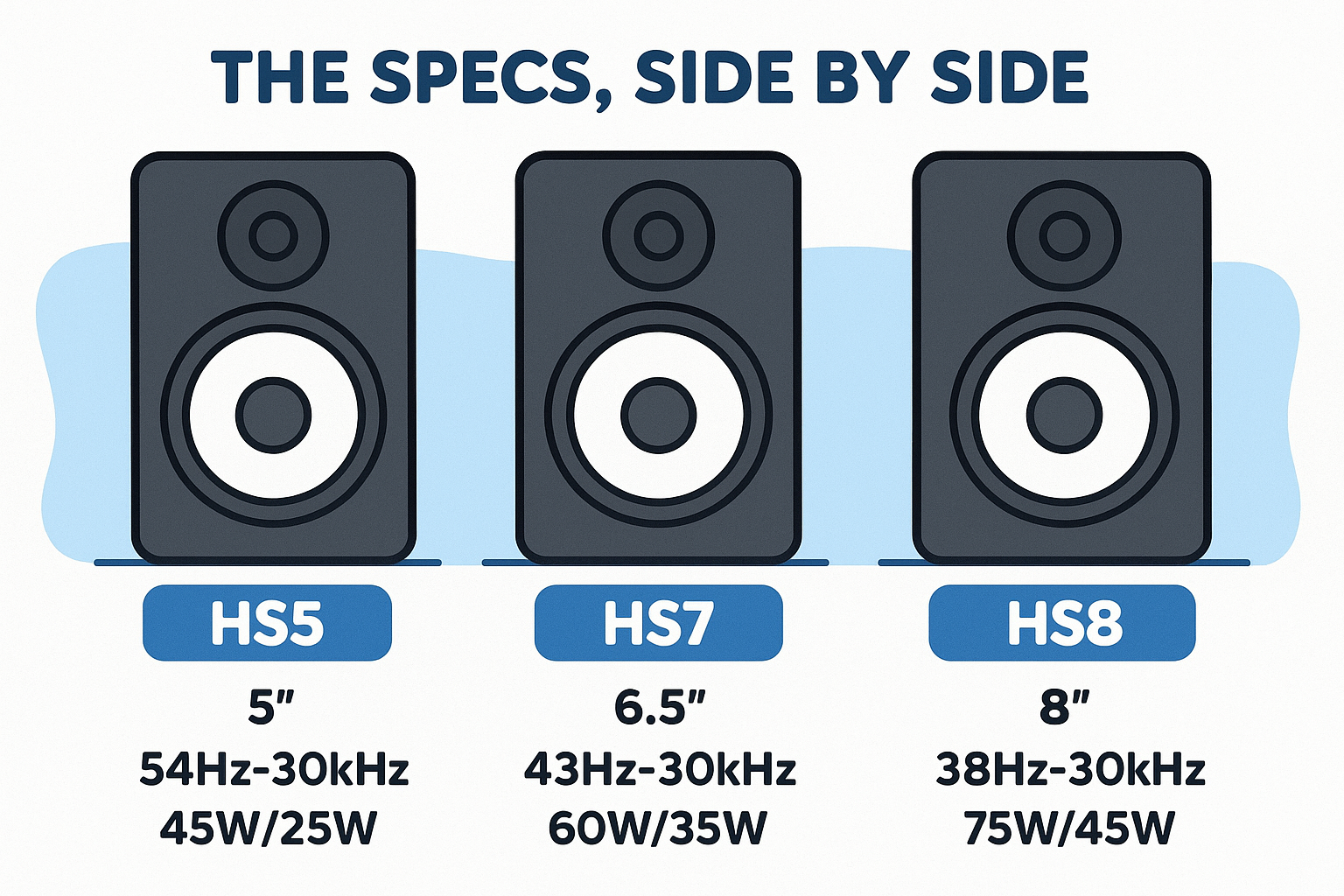
Once you know your room and budget, the actual spec differences make the choice concrete. The three models share the same bi-amp design and white cone driver, but woofer size, frequency range, and power output shift enough to change how each one handles a bass-heavy EDM mix. Here's how the yamaha hs studio monitors lineup stacks up side by side.
The specs, side by side
|
Model
|
Woofer Size
|
Frequency Response
|
Power (LF/HF)
|
Approx. Price (per unit)
|
|
HS5
|
5"
|
54Hz–30kHz
|
45W/25W
|
~$180
|
|
HS7
|
6.5"
|
43Hz–30kHz
|
60W/35W
|
~$250
|
|
HS8
|
8"
|
38Hz–30kHz
|
75W/45W
|
~$350
|
Why that low-end number matters most
The frequency response column is where EDM producers should focus. That jump from 54Hz on the HS5 to 38Hz on the HS8 means the bigger monitor reproduces sub-bass and low kick fundamentals you'd otherwise only guess at. That's a meaningful gap when a genre like dubstep or trap lives in that exact range.
The difference between 54Hz and 38Hz isn't a spec sheet detail, it's the difference between hearing your sub and guessing at it.
Power and headroom differences
Higher wattage on the HS7 and HS8 isn't about playing louder for its own sake. It's about maintaining a clean, undistorted signal at the volumes you actually mix at, especially during a heavy drop with layered bass and kick competing for the same space. Push an HS5 too hard on a bass-dense track and you'll hear the strain before the HS7 or HS8 even notices.
How to set up your HS monitors for the best sound
Even the best pair of yamaha hs studio monitors will sound wrong if you set them up carelessly. Placement, positioning, and room treatment matter as much as the specs on the box, and skipping this step wastes the accuracy you just paid for.
Positioning and the listening triangle
Grab a tape measure before you touch anything else. Your monitors and your head should form an equilateral triangle, with each speaker roughly the same distance from you as they are from each other, typically 3 to 4 feet for a bedroom setup. Angle both cabinets inward so the tweeters point directly at your ears, and keep them at ear height when you're seated, not tilted up from a low desk.
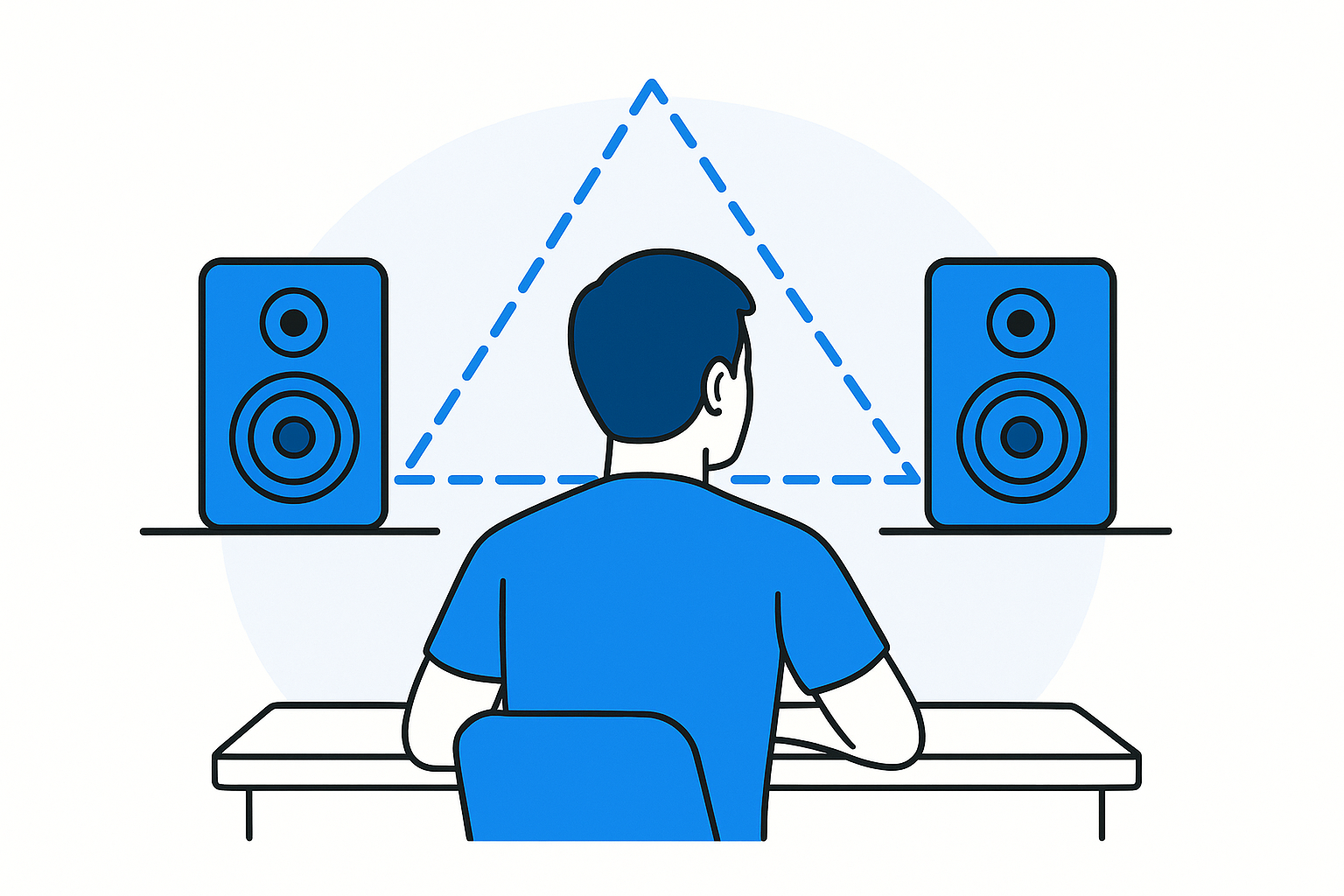
Two monitors pointed at the wrong angle can undo everything an accurate driver was built to give you.
Dial in the rear controls
Every HS model has a room control and high trim response switch on the back panel. Use them:
-
Room control: set to -2dB if your monitors sit close to a wall, since boundary bass buildup is real and these switches exist specifically to fix it
-
High trim response: nudge down slightly if your room is untreated and bright, up if it's heavily damped and dull
-
Volume knob: match both monitors exactly using a test tone, not by ear, since uneven gain skews your stereo image
Treat the room before you trust it
Foam panels behind and beside your monitors kill early reflections that muddy your stereo image and make bass response inconsistent from note to note. A rug on a hard floor and a few absorption panels at first reflection points cost under $100 and change your mixes more than any monitor upgrade will. Skip this step and even a perfectly placed HS8 will lie to you about your low end.
Finding the right fit for your studio
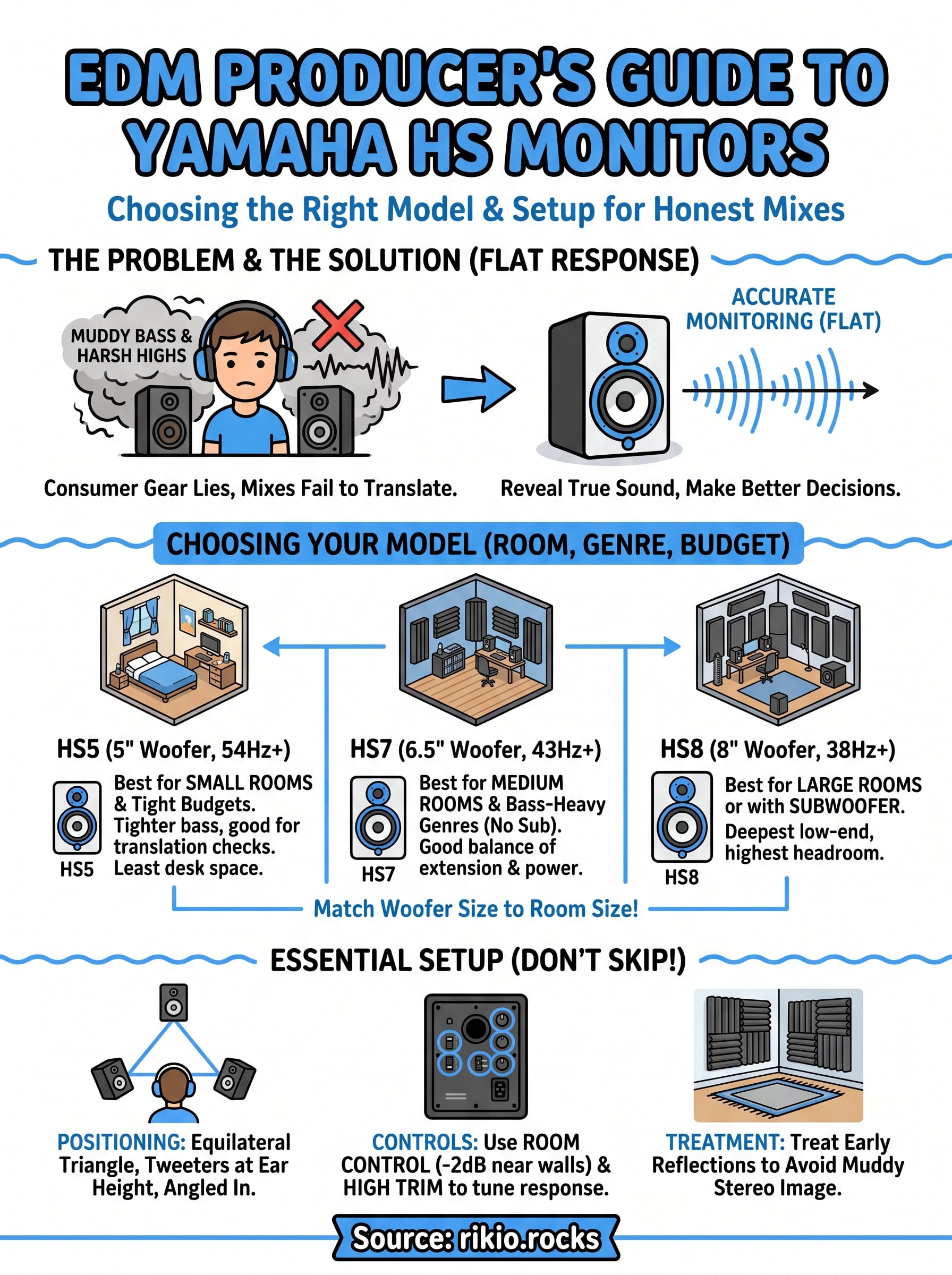
The HS5, HS7, and HS8 all deliver the same honest, uncolored sound Yamaha built its reputation on. The real difference comes down to matching woofer size to room size and letting your budget guide the rest. A small bedroom setup rewards the HS5's tighter footprint, a mid-size space opens the door to the HS7, and a treated room or a sub pairing makes the HS8 worth the extra cost. Whichever model you pick, remember that proper placement and room treatment matter just as much as the spec sheet. Skip those steps and you're back to guessing at your low end, no matter how good the monitors are.
Once your monitoring is dialed in, put it to work on something with real bass to judge. Load up our CARDIO HITS 2026 playlist on Spotify and hear how your new setup handles a full mix under pressure.
12